Connect Once. Stay Synced Forever.
Cloud storage, knowledge bases, communication tools, CRM, ERP, DevOps, and more — each connector syncs incrementally, inherits source permissions, and deduplicates content across all sources automatically.
Integration Hub
Your Entire Knowledge Stack. Connected.
9 categories: Cloud Storage, Knowledge Bases, Communication, Project Management, Code & DevOps, CRM & Sales, Customer Support, Web & Files, and ERP Systems.






















Incremental Sync
Only sync changes, not everything
Webhook Updates
Real-time notifications
Permission Sync
Inherit source ACLs
Deduplication
Across all sources
Fast Sync
Incremental syncs every 5 minutes
Document Journey
What Happens When You Connect
Documents go through intelligent parsing (four engines handle every file format), meaning-based chunking, entity extraction for the knowledge graph, search indexing, and quality scoring — all before a single byte is searchable.
Supported Formats
We Handle All Major File Types
From PDFs to code, emails to spreadsheets - we parse it all.
PDF Documents
Word Documents
Spreadsheets
Presentations
Source Code
Emails
Chat Logs
Databases
Web Pages
Images (OCR)
Plain Text
JSON/XML
Slack Bot Integration
AI Assistant In Your Slack Channels
- Configure per-channel personas
- Set response modes (automatic, on-mention, manual)
- Full analytics on bot usage
- Knowledge base queries without leaving Slack
Courdx Bot
Just now
Based on our Q3 revenue report, we saw a 23% increase compared to Q2. [Source: Q3 Financial Report, Page 3]
Multi-Model AI
Choose Your AI. Or Run All of Them.
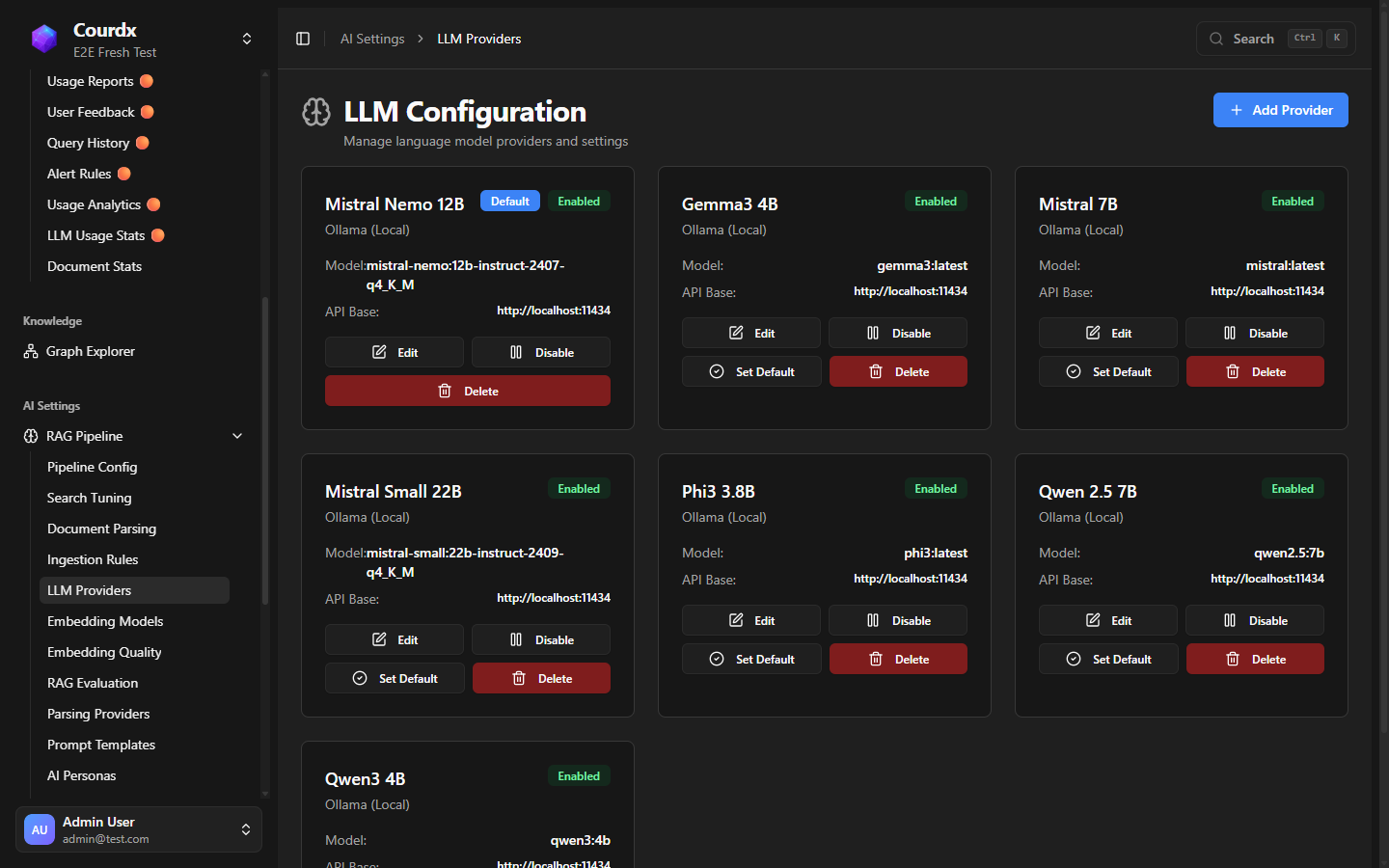
Use leading cloud AI providers for maximum capability — or run everything locally with multiple open-source AI models on your own servers. Switch providers with one click; your retrieval pipeline, prompts, and guardrails stay the same. The admin panel tracks usage, cost per model, and performance metrics across all providers.
- Leading cloud AI providers and local AI models
- 7 local AI models to choose from
- 6 AI models for meaning-based search
- 100% local deployment option — your data never leaves
Looking for ERP Integrations?
Connect directly to Acumatica, Oracle, Microsoft Dynamics — with SAP coming soon.
Need a Custom Connector?
Our team can build custom integrations for your specific data sources.