Query Your ERP with Natural Language
The only knowledge platform that connects directly to your business systems. Ask questions in plain English, get cited answers from Acumatica, Oracle, Dynamics 365, and more — with SAP coming soon.
Your Team Lives in the ERP. Your AI Should Too.
The Old Way
- ✗Wait for IT to build a report
- ✗Learn complex report builders
- ✗Export to Excel, then search
- ✗Data is stale by the time you get it
With Courdx
- Ask in plain English
- Get cited answers instantly
- Always current data
- No technical skills needed
Integrations
Supported ERP & CRM Systems
Click any system to explore the business areas and entities we index. Each connector was built from the actual API documentation — no generic adapters.
Don't see your ERP? Contact us about custom integrations.
See It In Action
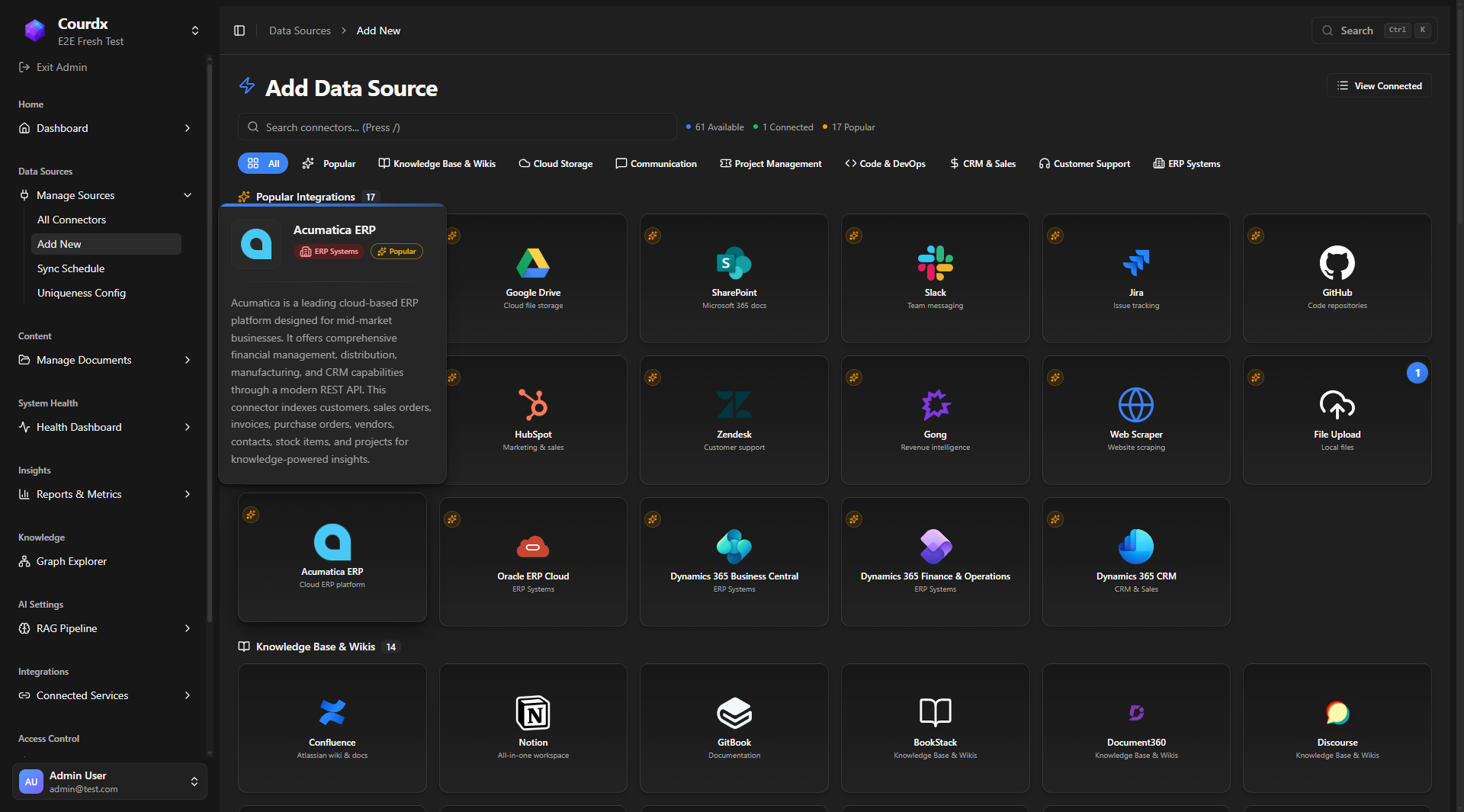
ERP Connectors in the Admin Panel
Add your ERP system in seconds. Configure credentials, select business areas to index, and start querying — all from the Courdx admin interface.
Use Cases
Questions You Can Ask
Natural language queries across your entire business — from inventory to finance to sales pipeline.
Inventory & Supply Chain
Finance & Accounting
Sales & CRM
Operations & HR
Why ERP + AI Matters
No More Report Builders
Ask questions in plain English. No SQL, no report designer, no waiting for IT.
Real-Time Answers
Query live ERP data, not stale exports. Get current information instantly.
Secure Access
Respects your ERP permissions. Users only see data they're authorized to access.
Full Audit Trail
Every query logged. Know who asked what and when for compliance.
Complementary AI
Works Alongside Your ERP's Built-in AI
Acumatica, Oracle, and Dynamics 365 are investing heavily in embedded AI for operational tasks. Courdx doesn't replace that — it adds a layer they can't: cross-source knowledge retrieval with citations.
Acumatica
Their AI handles
AI Studio automates AP document recognition, anomaly detection, and cross-sell recommendations
Courdx adds
Courdx answers questions across your Acumatica data, Confluence docs, and Slack threads — with cited sources
Oracle ERP Cloud
Their AI handles
50+ agentic AI agents handle GL anomalies, automated close, and procurement workflows
Courdx adds
Courdx retrieves knowledge from Oracle records, SharePoint policies, and support tickets in one search
Dynamics 365
Their AI handles
Copilot drafts emails, summarizes records, and suggests next actions within D365 apps
Courdx adds
Courdx connects D365 data with 50+ other tools — answering questions Copilot can't reach
The bottom line: Let your ERP's AI handle invoice matching and anomaly detection. Let Courdx answer questions across all your enterprise data — with citations.
Process
How It Works
Secure Connection
We connect to your ERP via secure APIs. Your credentials stay in your infrastructure — encrypted at rest with AES-256.
Schema Understanding
Courdx learns your ERP schema, custom fields, and business terminology. No generic queries — we speak your language.
Permission Mapping
ERP permissions are respected. Collection-level access control ensures users only see data they're authorized to access.
Natural Language Queries
Your team asks questions in plain English. Courdx combines meaning-based search, keyword matching, and knowledge graph reasoning to find precise answers with citations.
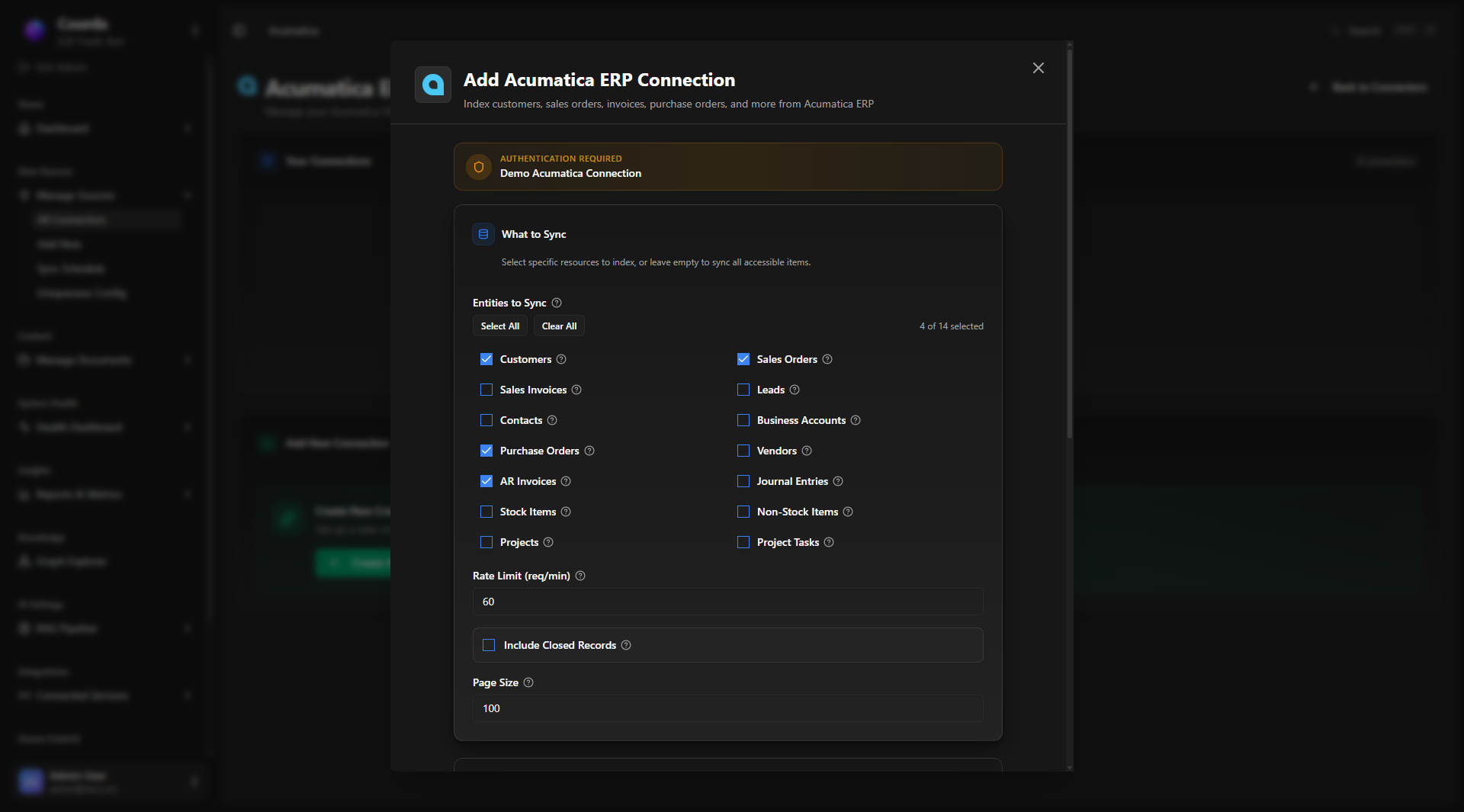
Granular Entity Control
Choose Exactly What to Index
Each ERP connector lets you select specific business entities to sync — from customers and invoices to GL entries and inventory. No all-or-nothing; pick only what your team needs.
Simple Setup
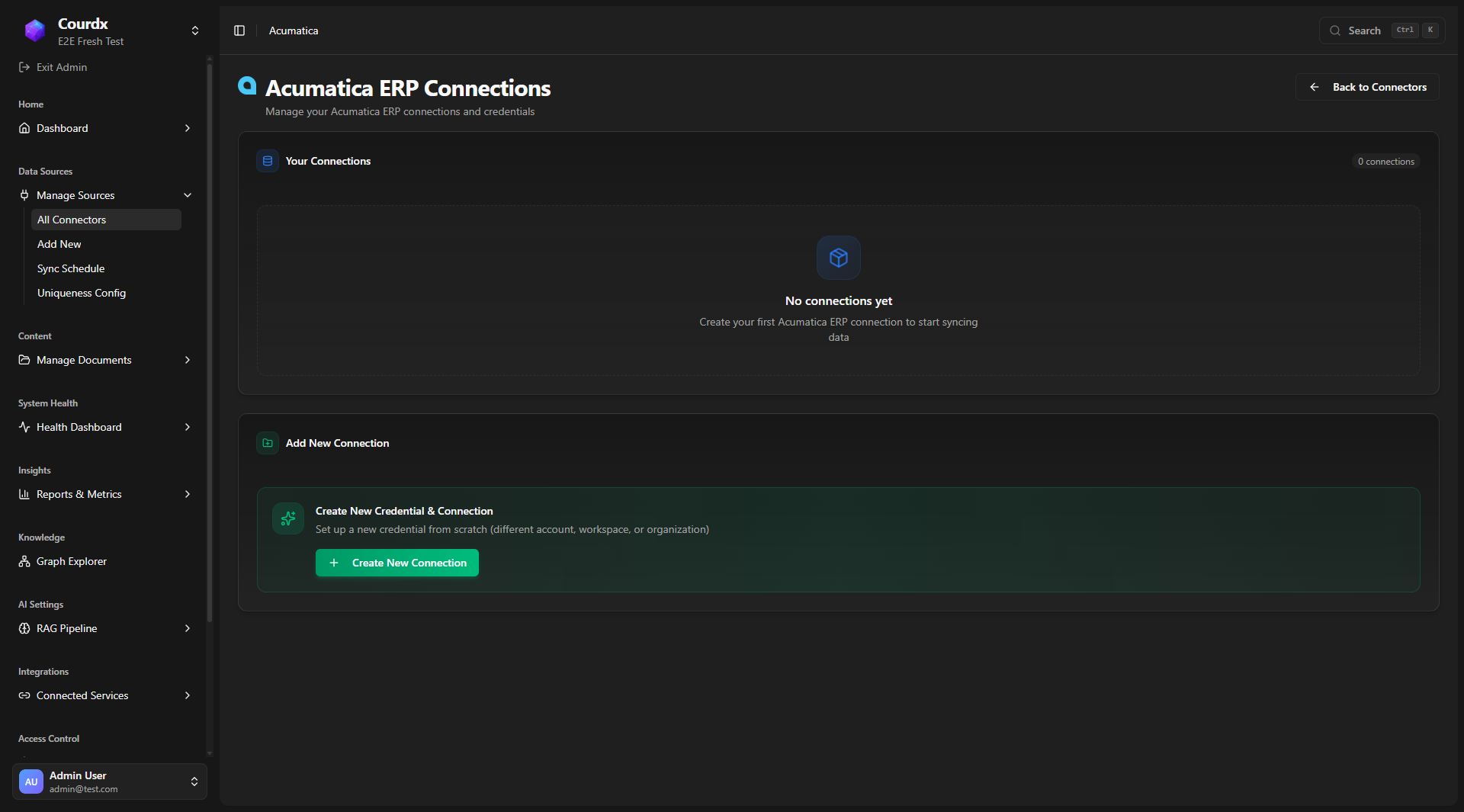
Connect Your ERP in Minutes
Each ERP connector comes with a guided setup flow. Enter your API credentials, select the business areas to index, and Courdx handles the rest — incremental syncing, schema mapping, and permission inheritance.
- Guided credential setup with validation
- Select which business areas to index
- Incremental sync — only changes, not everything
- Automatic schema mapping and field discovery
Ready to Unlock Your ERP Data?
See how Courdx can transform how your team interacts with business data. Schedule a focused ERP demo with our solutions team.